See the sequence.
Follow the court animation and change the ball order, spin, interval and recovery time.
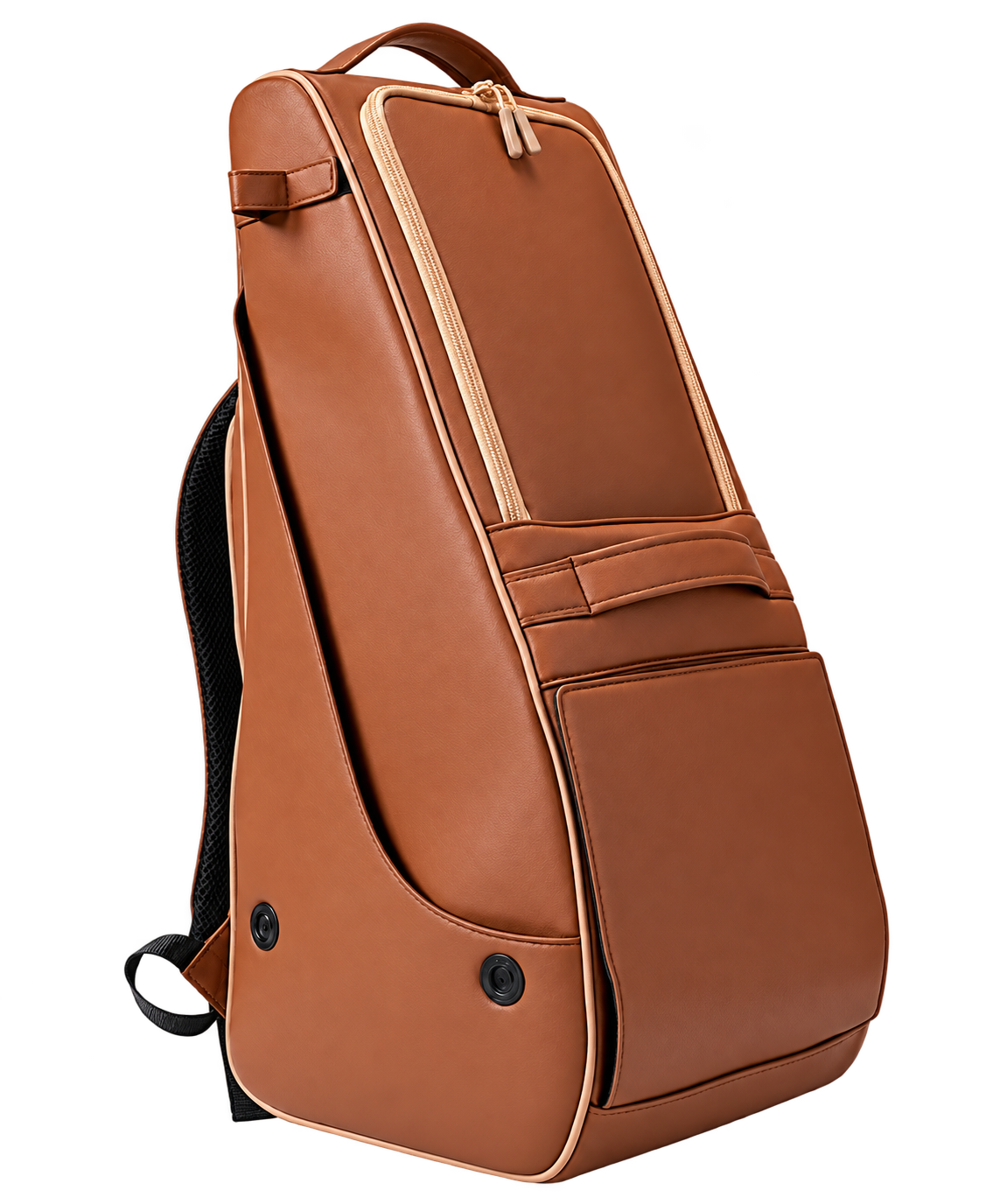 Y1 Studio
Choose your drills, arrange each shot and control your Y1 from Android.
Android 7 or later · Bluetooth · For the Y1 model
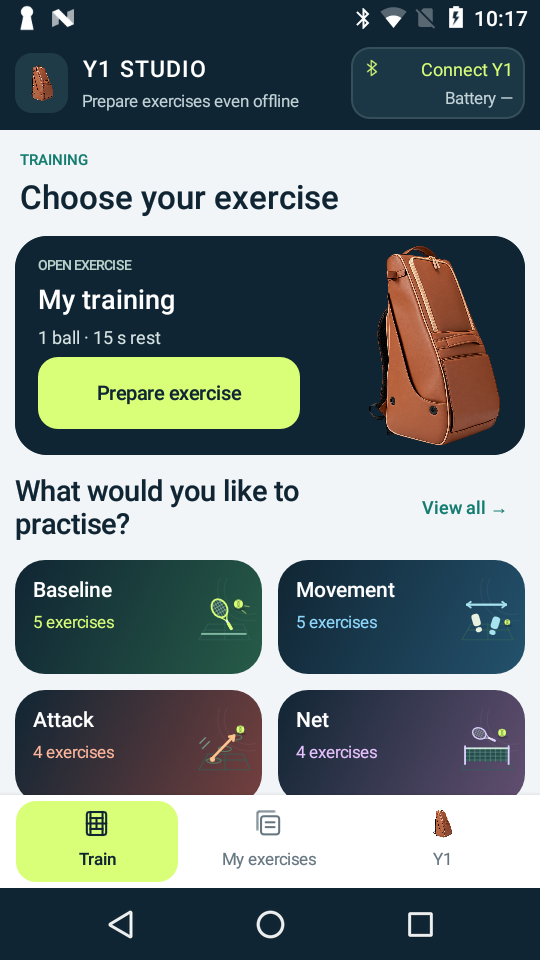
Follow the court animation and change the ball order, spin, interval and recovery time.
Build drills with deep shots, mid-court balls, volleys and flat lobs. Save your favourites and share custom exercises.
Pick a forehand or backhand, depth and spin. Common launch profiles and timing are prepared in the app.
Real screens from the Android app. Tap any screenshot to take a closer look.
Browse 20 prepared exercises for baseline play, movement, attack, the net and defence.
Preview the targets and shot order, with a court animation and coaching cues.
Choose each ball and rearrange the order to build the sequence you want to practise.
Set a deep ball, a mid-court shot, a volley or a flat lob using clear names.
Choose a forehand or backhand target, then flat, topspin or backspin. Lobs stay flat.
Adjust the seconds between balls and the recovery time before the sequence repeats.
Available in English and Spanish. Screens shown in English.
One-time price of $15 USD, paid in the quoted equivalent in USDT / USDT0 on Polygon PoS.
Sharing the installation file does not transfer your license. Payments and commercial activation are being prepared.
Checking for your saved purchase...
Payments are disabled. Do not send funds. This private page is available to review the purchase process.
Your order will show the exact USDT amount, supported network and destination address.
Enter your saved license to recover the installer on this device. You do not need to pay again.
You need Android 7 or later and Bluetooth Low Energy. Y1 Studio has been tested on an Aquaris A4.5 running Android 7. Check compatibility before buying a phone specifically for the app.
Y1 Studio is distributed directly through this website, with its own download, updates and license activation. An APK is an Android app installation file.
It is developed independently for Y1 owners and is not an official app made or published by Nisplay. This release is supplied through our website instead of a Google Play listing.
Yes, a compatible spare Android can be dedicated to Y1 Studio. You do not need to add your personal Google account to install the APK or control the machine. If the phone’s setup offers a skip option for Google sign-in, you can leave that account off.
Keep your personal email, photos, banking apps and other accounts on your everyday phone. A SIM card or mobile plan is not required; Wi-Fi is enough for license activation and periodic validation. A phone that still receives security updates is preferable.
No app installation can be guaranteed to have zero risk. A dedicated phone keeps your personal apps and data separate, but an empty phone does not prove an installer is safe.
Download Y1 Studio only from this website, check the app name before installing, and keep Android’s security checks enabled. If your phone has Google Play Protect, keep it on. If a security check flags the file as harmful or blocks it, stop and contact support rather than disabling protection.
For a standard APK installation, you do not need Developer options, USB debugging, root access or a computer. You allow installation from the browser or file manager you use to open the download. Follow the step-by-step Android installation guide below.
Some phones, regions or managed devices apply additional installation or developer-verification checks. If the normal steps do not work, check Android’s official verification guidance or contact support before purchasing.
No. The app uses the Y1’s existing Bluetooth control protocol to send launch settings and start, pause and stop commands. It does not install software on the machine, flash or replace its firmware, or require a hardware modification.
It changes the launch settings while you use it, as a controller should. Exercises and calibration profiles are stored in the phone app. The purpose is to organise those normal commands into clearer drills, ball sequences and recovery times.
Yes. Y1 Studio does not uninstall, replace or disable the manufacturer’s app or remote. To switch controllers, stop the exercise, disconnect Y1 Studio from the machine, then connect the original app or remote in the usual way.
Use one controller at a time. Disconnect the previous controller if the next one cannot connect.
Using Y1 Studio involves no hardware alteration or firmware replacement. Warranty coverage is determined by the manufacturer’s or seller’s terms and applicable law; we cannot guarantee how a warranty claim involving a third-party controller will be handled.
Read the manufacturer’s warranty terms and request written confirmation from the manufacturer if you need certainty about coverage.
Internet is required to buy, activate and renew license validation. You can then train offline for up to 3 days after the latest successful validation. The app renews validation automatically when you use it online; if it has expired, open Manage my license and renew. License checks happen before starting a drill and do not interrupt a running exercise.
The app uses common launch profiles prepared by the administrator. Timing and direction are included. Setup saves launch commands in the app; it does not modify the machine or its firmware. Ball placement can vary with equipment and playing conditions.
Your order and confirmed payment are stored on the server. Reopen this website in the same browser: while its purchase cookie is kept, the page can restore the order for up to 30 days and show an already issued license again. If the response was lost after confirmation, reloading does not create a second charge or a second license.
If payment has not been checked yet, reconnect, restore the order and paste the transaction hash from your wallet to check the existing transfer. A transfer recorded on Polygon within the order window can still be checked after that window ends. Do not pay again.
Save the receipt and license when they appear. If you change browsers, clear browser data or use a private window that has closed, automatic recovery may not be available. A saved license lets you recover the installer; otherwise contact support with your order reference and transaction hash. Recovery without those browser details or a saved license requires a manual review.
The license price is $15 USD. Each order uses a current USDT-to-USD quote and a small unique amount adjustment, shown before payment. The accepted token and network are stated in the order.
You can do the standard installation directly on the phone. Developer options, USB debugging and root access are not needed.
Open Settings → About phone and look for the Android version. You need Android 7 or later and Bluetooth Low Energy. You can use a compatible spare phone without adding your personal Google account.
When your order download is available, open this website on the Android phone, download Y1-Studio.apk and keep your license somewhere you can find it again. You can also download the file on a computer and copy it to the phone’s Downloads folder.
Tap the download notification, or open Files / My Files → Downloads → Y1-Studio.apk. If Android says this source cannot install apps, open the settings offered in that message.
For the browser or file manager you just used, open Install unknown apps and enable Allow from this source. You can also find it under Settings → Apps → Special app access → Install unknown apps.
Open Settings → Security → Unknown sources and allow installation. Some phones offer permission for just this installation. Menu names vary by phone.
Check that the file came from this website and the app is Y1 Studio. Read the system prompts before continuing. Keep Play Protect enabled if it is available; if Android reports a harmful file or another security block, stop and contact support.
After installation, return to the same setting and turn off Allow from this source or Unknown sources. Y1 Studio will still run. You may need to allow the source again when installing an update.
Connect the phone to Wi-Fi, open Y1 Studio and go to Y1 → License → Manage my license. Enter the license saved with your order and follow the activation steps. You do not need to sign the phone into your personal Google account.
Turn on the machine and disconnect any other controller. In Y1 Studio, open Y1 → Find Y1 and select your machine. Grant Bluetooth or Nearby devices permission when asked. Older Android versions may ask for Location permission for Bluetooth scanning.
Connecting does not start an exercise. Check the connection, battery and firmware information first. Choose your drill and start it only when you are ready.
Menu names and installation requirements vary by phone and region. Read Android’s installation guidance or email support if a step does not match your screen. Keep security protections enabled.
This private store is being prepared. Purchases remain disabled while launch profiles, applicable terms, payments and activation are verified.
The commercial release will be installed from an APK file outside Google Play. A late payment, incorrect amount or unsupported network requires review. Do not make another payment to correct it.
Seller: Eric Ros · escurridor_servicio.29@icloud.com